The Boardroom Display That Thinks on Its Feet: 3 Android 16 AI Features on the Nitek Prime Built for Corporate Presenters
Written by Milap Mehta, EdTech Specialist at Nitek IFP
Milap Mehta
Official Blog Contributor
ENTERPRISE DISPLAY TECHNOLOGY | AI IN THE WORKPLACE
Published April 2026 · Enterprise Display Technology · 5 min read
Every corporate presenter has been there. You are mid-presentation, the room is with you, and then a client asks something that sits just outside the slide deck. You reach for your laptop, try to pull up a browser, and suddenly the energy in the room shifts. You are no longer leading the meeting. You are chasing it.
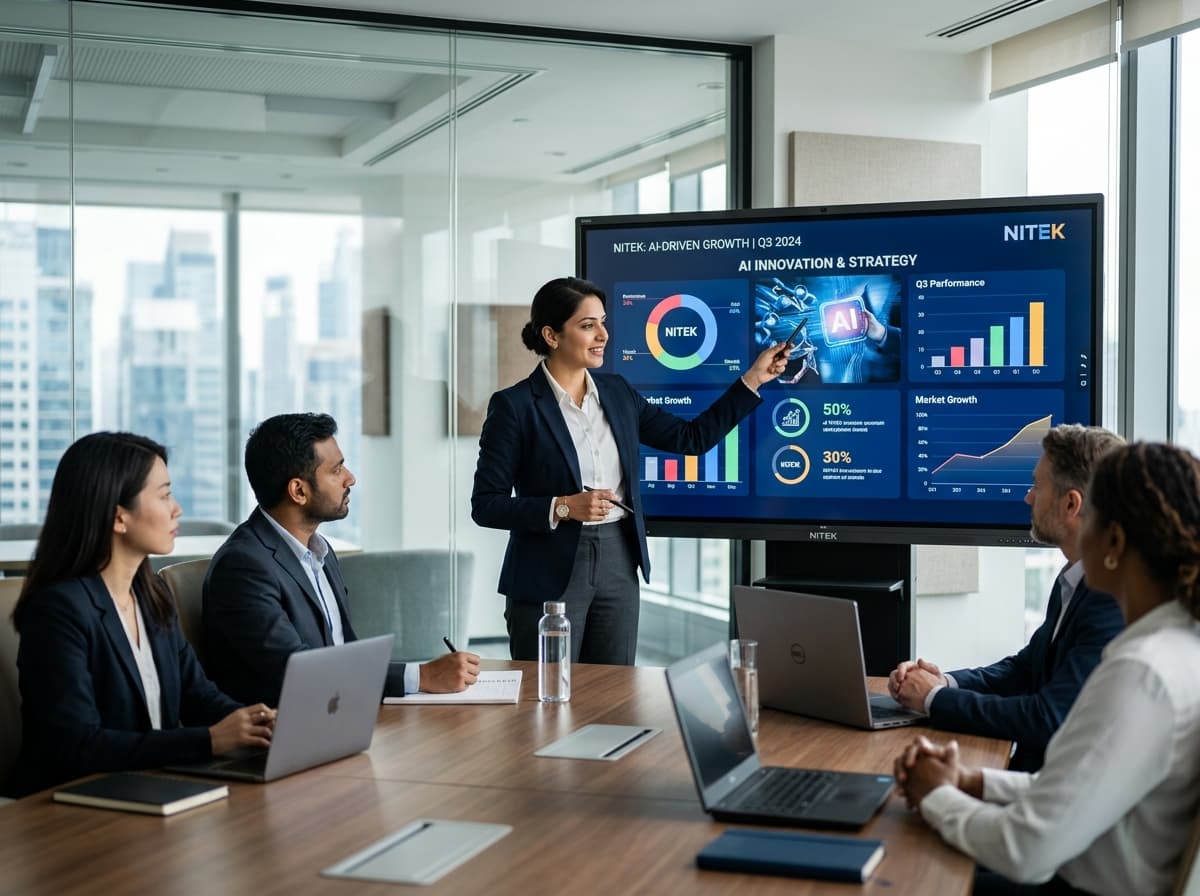
The Nitek Android 16 Prime interactive flat panel was built to make sure that never happens. Running on Android 16 with purpose-built AI features integrated directly into the platform, it gives corporate presenters, trainers, and facilitators three tools that keep them in command of any room: Circle and Go, Live Subtitles, and Ask AI.
This article is for corporate teams, L and D managers, facilities heads, and anyone evaluating interactive flat panels for boardrooms, training centres, and conference spaces. Here is what each feature does and why it matters in a professional setting.
Why Android 16 Is the Right Foundation for Corporate Display Technology
Most interactive flat panels in offices and training rooms today run on Android 11 or Android 13. That was acceptable two years ago. In 2026, it is a liability. Apps like Microsoft Teams, Zoom, and Google Workspace update constantly and increasingly require modern OS versions to run without issues. A panel that cannot keep up with the software your teams depend on is a panel that actively gets in the way.
Android 16 resolves this. It is a stable, fast, and AI-ready foundation that supports the full range of corporate collaboration tools without compatibility gaps or security vulnerabilities. More importantly, it is the platform on which the three AI features below can actually function the way they are meant to.
The Nitek Android 16 Prime ships with 8GB RAM, up to 1TB expandable storage, 25-watt speakers, and an OPS slot for future hardware upgrades. Built for rooms that need to work reliably, every time, without IT intervention.
Feature 1: Circle and Go
What It Does
Circle and Go allows presenters to draw a circle around any content visible on the panel screen and have the display take an immediate, relevant action on it. Circle a competitor name on a strategy slide and pull up their latest public profile. Circle a financial term during a training and surface a plain-language definition. Circle a data point in a report and drill into the source context without opening a separate screen.
No typing. No app switching. No asking a colleague to look something up. One gesture, and the panel delivers what the room needs.
Why Corporate Presenters Need This
In a professional setting, credibility depends heavily on command. A presenter who handles unexpected questions smoothly, who can go deeper on any point without losing their thread, who never looks like they are scrambling: that is the presenter the room trusts. Circle and Go is the feature that makes that possible.
Corporate meetings are rarely perfectly scripted. Clients ask questions. Stakeholders want to drill into specifics. Participants raise points that were not on the agenda. Circle and Go gives the presenter a way to meet every one of those moments with confidence, without reaching for a device, without fumbling with a browser, and without breaking the momentum of the session.
Corporate Use Cases
• Strategy and planning sessions: Circle a competitor brand on a slide and instantly pull up their public market position or recent news
• Sales presentations: Circle a product name or spec and surface detailed information without leaving the deck
• Finance and investor meetings: Circle a figure or term in a displayed report and drill into source data instantly
• Compliance and legal training: Circle a regulation or clause and get a plain-language summary on screen
• Client workshops: Circle any concept raised by participants and surface contextual information to drive the discussion forward
• Product launches: Circle a feature or specification during a live demo and instantly bring up comparison data or deeper documentation
What It Changes in the Room
Presenters who use Circle and Go describe a fundamental shift in how they manage questions. Instead of those moments creating anxiety, they become the most valuable parts of the session. The presenter is no longer constrained by what is in the deck. They are powered by what is in the room.
Circle and Go gives corporate presenters the ability to go wherever the room needs to go, instantly, without losing control of the session. Unexpected questions become the best part of the meeting.
Feature 2: Live Subtitles
What It Does
Live Subtitles generates real-time captions for what the presenter is saying in the room. When the presenter speaks, their words appear on screen instantly as text, visible to everyone in the audience. No external tool, no captioning service, no manual activation mid-session. The feature captures the presenter’s live speech and displays it on the panel as they speak.
Why Corporate Rooms Need This
Corporate environments are more linguistically diverse than they have ever been. Indian organisations work with international clients, manage remote teams across time zones, and run training sessions for employees whose first languages span dozens of options. In that context, the assumption that everyone in the room is following the audio at the same level is not just wrong. It is costly.
A participant who misses a key instruction during a compliance training because they were processing the language. A remote attendee on a hybrid call whose audio dropped for ten seconds during the most important point. A client whose grasp of spoken English is strong but whose processing speed for rapid-fire presentations is not. Live Subtitles solves for all of these situations simultaneously, without singling anyone out and without requiring any additional setup.
Where It Makes the Most Difference
• International client meetings: Non-native English speakers read what the presenter is saying in real time, staying aligned even during fast-paced delivery
• Corporate training and L and D: Participants absorb more when they can both hear and read the facilitator’s words simultaneously
• Compliance and regulatory sessions: Every spoken instruction appears on screen as a live record of what was communicated, reducing the risk of misunderstandings
• Town halls and all-hands: Audiences seated far from the speaker or in poor acoustic conditions follow every word without strain
• Participants with hearing difficulties: Follow live presentations fully without needing separate accommodation or assistive devices
What It Communicates About Your Organisation
Inclusive professional environments are increasingly a marker of organisational quality. Choosing a display technology that builds accessibility in by default, rather than offering it as an expensive add-on, signals that the organisation takes participation seriously. Live Subtitles is not a feature for a specific subset of employees or clients. It is a feature that makes the presenter’s delivery more effective and the audience’s experience more equitable, every single session.
Live Subtitles does not just make sessions more accessible. It makes them more effective. When every person in the room follows every word, the outcomes of that session improve.
Feature 3: Ask AI
What It Does
Ask AI is a built-in AI assistant on the Nitek Android 16 Prime panel, always available during any session. Presenters and facilitators type or speak a question and receive an immediate, structured response directly on the display. It understands professional and corporate contexts, handles technical and industry-specific language, and responds in ways that are appropriate for a professional audience.
It does not require a separate device, a login, or a break in the flow of the session. It is there when you need it and invisible when you do not.
What Ask AI Does in a Corporate Session
Think of Ask AI as the most prepared person in the room, one who never speaks out of turn but is always ready when you need them. A client asks a question that sits outside the prepared deck. Ask AI delivers a structured, professional response in seconds. A training facilitator needs a scenario-based case study to spark discussion. Ask AI generates one on the spot. A presenter needs to summarise 40 minutes of content in three bullet points before the meeting overruns. Ask AI does it immediately.
• Generate scenario-based questions to drive discussion in workshops and leadership sessions
• Surface plain-language explanations of technical, legal, or financial concepts mid-session
• Summarise a long section of a presentation when time runs short
• Create structured follow-up action points at the close of any meeting or training session
• Answer client questions that fall outside the slide deck, confidently and without fumbling
• Generate polling questions or discussion prompts based on the content just covered
• Produce instant speaker notes or talking points for sections being extended on the fly
Why This Matters for Corporate Teams
The highest-stakes moments in any corporate session are the unplanned ones. The question nobody expected. The discussion that goes long. The request to go deeper on a point that was only a single slide. These are the moments where the quality of preparation, the credibility of the presenter, and the usefulness of the technology all get tested at once.
Ask AI is designed for exactly those moments. It does not replace the expertise of the presenter. It gives that expertise a way to be expressed more fully, with more depth, and with more confidence in every situation.
Ask AI means no question goes unanswered, no session overruns without a clean close, and no presenter ever has to say they will follow up on something they could have addressed right there in the room.
How Circle and Go, Live Subtitles, and Ask AI Work in a Single Session
Each of these three features is independently valuable. Together, they create a fundamentally different experience for everyone in the room.
Consider a corporate leadership development workshop. The facilitator opens the session by speaking through the agenda, and Live Subtitles display every word on screen in real time, keeping the two international participants fully aligned from the first minute. A strategy term comes up during the facilitator’s explanation that sparks a question from a senior participant. The facilitator circles the term on the slide using Circle and Go, and the relevant framework appears on screen instantly. Toward the close of the session, the facilitator uses Ask AI to generate five discussion questions based on what the room has just covered, tailored to the themes that came up during the session.
That is not a showcase of what the Nitek Android 16 Prime can do. That is what an ordinary session looks like on it.
Nitek Android 16 Prime: Key Specifications for Corporate Environments
• Operating System: Android 16
• RAM: 8GB for smooth multitasking across all corporate apps and sessions
• Storage: Up to 1TB expandable for training materials, presentations, and recorded sessions
• Audio: 25-watt built-in speakers for clear audio across boardrooms and training rooms
• Touch: Multi-touch display with sub-millisecond response
• AI Features: Circle and Go, Live Subtitles, Ask AI, with more to come
• Connectivity: Full compatibility with Microsoft Teams, Zoom, Google Workspace, and browser-based tools
• Expandability: OPS slot for future Windows PC integration
• Warranty: 3-year comprehensive, covering parts, labour, and on-site support
Frequently Asked Questions
Can Circle and Go be used during a live client presentation?
Yes. Circle and Go works on any content visible on the panel at any time, including slides, documents, PDFs, browser content, and video. There is no mode to switch into and nothing to configure. The presenter draws a circle and the panel responds immediately.
What exactly does Live Subtitles caption?
Live Subtitles captions the live speech of the presenter or facilitator in the room. As they speak, their words appear on screen in real time for the audience to read. It does not caption audio from videos or external recordings played through the panel.
Is Ask AI suitable for regulated industries such as finance, legal, or healthcare?
Ask AI is configured for professional and educational use and handles industry-specific terminology. For highly regulated environments, as with any AI tool, organisations should establish internal guidelines for how AI-generated content is used and communicated during sessions.
How does the Nitek Android 16 Prime integrate with existing corporate AV setups?
The panel includes HDMI 2.0, USB-C, USB-A, Wi-Fi 6, and Bluetooth 5.0, along with an OPS slot for organisations that want to run a full Windows environment through the display. It is designed to integrate cleanly with existing cable management, external speakers, and video conferencing hardware.
What after-sales support does Nitek provide for corporate clients?
Every Nitek Android 16 Prime panel comes with a 3-year comprehensive warranty covering parts, labour, and on-site engineer visits. Nitek provides onboarding for corporate teams to ensure administrators, facilitators, and trainers are confident using all features from day one.
See Circle and Go, Live Subtitles, and Ask AI working live in a boardroom or training room setting. Request a free demo of the Nitek Android 16 Prime today.